The Blog Market

  • Home
  • About
  • Resources Directory
  • Advertise With The Blog Market
  • Contact Us

Give Thanks Desktop Download

November 25, 2015 by jennifer Leave a Comment

The other day I emailed Angela and was like, “Do you know of any Thanksgiving season quotes that aren’t give thanks?” Because we all know “give thanks” has been around the block a few times. But then I decided to create a desktop download using this phrase anyway because there’s a reason it’s everywhere you look. It’s a simple instruction to focus on the good things we have rather than what we don’t have. Sometimes I get so stressed out about finances and future plans that I forget the wonderful things that are right in front of me like a sleeping kitty, roommates I love, a cozy place to live… All of the little things matter and can create a lot of joy when we recognize them.

Here’s a simple desktop download to remind us to give thanks throughout the entire season. To download, click the link below the graphic!
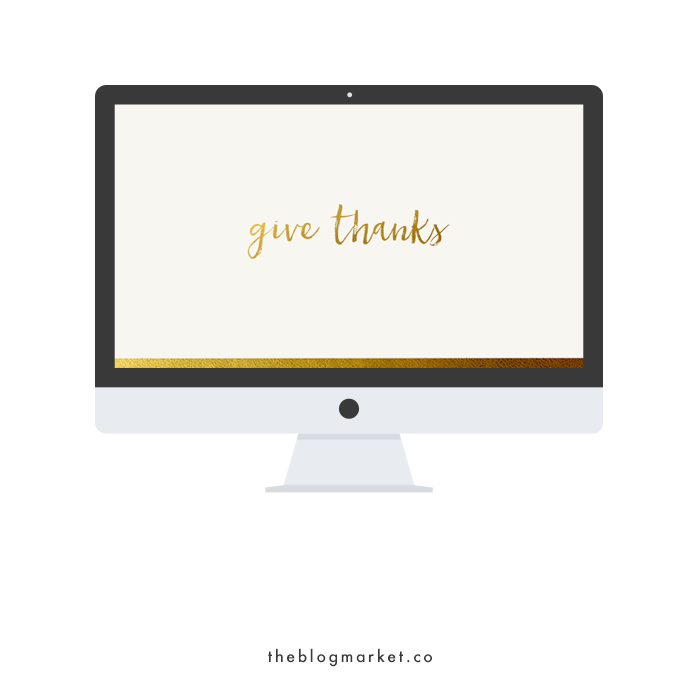
Give Thanks Desktop Download | The Blog Market

(click here to download)

What are your plans for this Thanksgiving? I’ll be away from family so I’m tagging along with my roommate to some gatherings she was invited to. Should be fun!

Have a great Thanksgiving, everyone!

Leave a Comment

Intro to the Jetpack Plugin for WordPress

November 23, 2015 by jennifer Leave a Comment

One of the most important parts of creating a website is making sure it’s user friendly for the site owner after the coding work is finished. I’ve learned that designing and developing websites is only part of my job. I also have to teach my clients how to navigate their way through the WordPress dashboard and use certain features I’ve added. Many of these extra features come from a wonderful plugin called Jetpack by WordPress.com.

Jetpack connects simple, user-friendly features from WordPress.com to self-hosted WordPress.org sites. When Jetpack was first suggested to me, I was confused because I had heard so many negative things about WordPress.com. Why would I need WordPress.com features if I was using the all-encompassing fully customizable self-hosted WordPress.org? Well, it turns out WordPress.com does have a few awesome features that could make any self-hosted site a bit more efficient and easy to use, particularly for someone who doesn’t want to code a lot.

Intro to Jetpack Plugin for WordPress | The Blog Market

So, what is included in the Jetpack plugin? So. Many. Good. Things. This plugin comes with 27 dynamic features, but I’ll start with my top ten favorites.

1. Contact Form – A simple way to add a clean contact form to any page. I’m a fan of Jetpack’s version of contact forms because all of the feedback you receive is filtered through Akismet (the anti-spam superhero of WordPress).

2. Custom Content Types – This is a really great feature that lets you display different types of content on your site, such as portfolio projects or testimonials.

3. Custom CSS – I love using this CSS Editor when I need to preview CSS changes before I make them. This is a good way for site owners to make changes to their websites without worrying about making any crucial mistakes.

4. Mobile Theme – If you need to make your website mobile friendly but don’t have time to have it fully customized, this feature is a quick fix!

5. Related Posts – Adding related posts at the bottom of each post is key if you want your reader to keep clicking around your site. I love that Jetpack includes this feature.

6. Sharing Buttons – The sharing feature allows users to share your content anywhere with the click of a button. A while ago, I shared a tutorial on how to customize your Jetpack sharing buttons. There are so many options! Scroll to the bottom of this post to see how we customized our sharing buttons.

7. Site Stats – Jetpack organizes and breaks down all of your pageviews and sessions in a way that is extremely easy to understand. You can see how people are finding your website, where they are visiting from, and how your traffic has improved month to month.

8. Subscriptions – With this feature, your reader can sign up to receive posts and/or comments via email. A great option if you don’t have a newsletter but want readers to stay connected!

9. VaultPress – Backing up your WordPress site is always a smart thing to do. VaultPress backs up your content, themes, and plugins and performs frequent security scans. Access to VaultPress requires a monthly subscription but is worth looking into if your web host doesn’t already back up your files.

10. Widget Visibility – This allows you to show or hide widgets depending on which page is being visited.

These are just my favorites, but there are several other perks of Jetpack that I didn’t mention. Visit the official Jetpack website for a detailed tour of all its other amazing features! To download the plugin, click here.

Are you a fan of Jetpack already? If so, what features do you find most helpful?

Leave a Comment

Weekly Resources | Perfecting Your Blog Design

November 20, 2015 by jennifer Leave a Comment

Searching for blog design resources this week was interesting for us. There are SO many things you *have* to do and also better *not*, under any circumstances do. When did blog world get so matter of fact? (Don’t answer that.) I won’t lie, there were a few posts that put me off simply due to their authoritative language. The world already has enough rules! At the same time, when someone has good tips to offer (and a pretty design up on their site to help back ’em up), and shows that they really want to help a fellow blogger out, we’re so inspired! These four resources are just that and they happen to all follow the theme of perfecting your blog design, for those who have already begun the process and just want to continually improve.

Blog Design Tips #weeklyresources via The Blog Market

1. Spruce Rd. has a really great post up right now about adding value to your business through design. It’s all about bringing everything together in a more cohesive way, and it covers everything from the design side of Pinterest to those people who (hands raised) enjoy a branded look without having every single design element look identical and boring.

2. Cristina at Elan Studio blogged about common design mistakes and prefaced it by noting that there’s no reason to be hard on yourself if you’re making them, and lots of designers make them too. She’s not wrong! You’ve probably seen posts with this title before, but we think her top 10 are pretty spot on not just for a good visual experience, but functionality.

3. This month Hello Brio Studio shared ways you can use hand lettering in your blog design. You don’t have to go all out with the handmade look of lettering to use it, all you need to do is choose one of her suggestions and experiment a bit for a more unique look to your blog. She even has a tutorial for creating a blog header in Photoshop up too.

4. Creatives in Transit posted these resources for styling your blog with CSS awhile back, and even included one of Jennifer’s tutorials! There’s a lot of great info/links here, which is helpful for those wanting to make a few tweaks or add things to their design, without starting from scratch!

Leave a Comment

15 Thank You Cards To Celebrate the Season

November 19, 2015 by jennifer Leave a Comment

Thanksgiving is almost upon us! Oh I love this holiday. It’s so nice to get together with friends and family and just practice being intentionally grateful. Of course it’s something we should practice all days of the year, but it can be easy to forget life’s small blessings. Right? Okay, end of cheesy intro. 🙂

Working at a stationery shop makes me want to buy all the cards for everyone in my life. I especially love finding pretty thank you cards because they’re the most unseasonal any-time cards. Here are some of my favorite thank you cards at the moment that I’ve seen in the shop I work at and around the interwebs.

Thank You Cards Roundup | The Blog Market

1. Woodland Thank You Greeting Card | Rifle Paper Co.
2. Palms Gold Foil Thank You Notes | Paper Source
3. Thanks So Much Card | Our Heiday
4. Thank You Indigo Card | Sycamore Street Press
5. You Made My Day | 9th Letter Press
6. Copper Thank You | Moglea
7. Thank You Peony | Dear Hancock
8. Gold Floral Thank You Card | Rifle Paper Co.
9. Scallop Merci Black Card | Sugar Paper
10. Painted Thank You Card Set | LEIF
11. Gold Foil Confetti Thank You Notes | Paper Source
12. Thanks a Bunch | Moglea
13. Thank You Palms With Gold Foil | Hartland Brooklyn
14. Geometric Gratitude | 9th Letter Press
15. Outlined Thank You Card Set | LEIF

Do you have any favorite stationery shops online or in your town? If so, please share them!

Leave a Comment

5 Things To Do for Your Creative Business Before the Year Ends

November 18, 2015 by jennifer Leave a Comment

Can’t believe I’m writing an end of the year post, but here it is! I wanted to post something for those of you with shops and small businesses before December because it’s so nice to end the year (and start the new one) on a high note. Even though it’s such a busy time, it’s important to think back on the year and prepare a bit for what’s to come—even if it’s just wrapping up loose ends and reflecting in your notebook. If the holidays are that insane—especially for those selling gifts—you might need to rearrange this a bit, but I guarantee you’ll be so happy starting off 2016 as a shop owner or even freelancer if you take a few hours to do these things before the ball drops!

End of the year checklists for creative business via The Blog Market

Catch up on your records

Now is a good time to catch up with things like income and expense tracking, gathering receipts that are laying around and filing them away or downloading PayPal and bank statements. I always start off the year strong with housekeeping tasks but by December my Excel spreadsheets look as if June through November never happened! It’s easy to fall off. Get organized before the year ends so your finances are all wrapped up for the last quarter, leaving you with a clean slate on January 1st. It’s SO tedious but putting it off until actual tax season makes things even more stressful.

Wrap up nagging projects

For some, business doesn’t change much during the holiday season, but for a lot of us, it does. In addition to the above, I usually have things I want to check off before the new year, otherwise, seasonal projects will have to wait until the following year. For sellers, this might mean putting on sales or promoting seasonal product that HAS to get pushed this time of year. The season can sneak up on you and you realize you never had a chance to list x winter item before that teensy window of opportunity was over! For bloggers, it means going through your calendar and scheduling all time-sensitive content first. If you have anything that needs to be done before Jan 1st, make a note of it now and get started.

Reflect on what did + didn’t work

Spend a little time thinking back on the year (if you can, before things get really crazy at the end of this month). Self reflection is key if you’re your own boss, you don’t have anyone at the end of the year recapping the year’s successes and failures or giving you a pre-2016 pep talk. And pep talks are important friends. Taking time to think back on each and every month will help you reevaluate processes, policies, products, and more.

Start defining 2016 goals

Everyone starts thinking about the new year at different times but one reason I like to do it in November is because it helps me keep things in perspective through the end of the year and in January. That way no matter what happens with the rest of the year, I have a record of what’s important to me. If you’re not into resolutions, that’s totally fine! But now that we’re a month and a half out, it’s good to start brainstorming. It’s nice to be able to clear your head a bit and list out all your dreams for the year…Maybe you can even get started early!

Remember why you started

One last thing to do before the end of the year is to take time to think about the “why” of your business. It’s helpful for two reasons. 1) If it’s been a rollercoaster of a year, I can look back on the point above about what did and didn’t work—then compare that with the “why”. Suddenly things become more clear, and can be tweaked for the next year. 2) The why is, in my opinion, what should fuel you, so it really helps when it comes time to defining those goals I originally brainstormed.

What kinds of projects are you wrapping up this month and next?

Leave a Comment

  • Newer Posts
  • 1
  • …
  • 65
  • 66
  • 67
  • 68
  • 69
  • …
  • 99
  • Older Posts

Recent Posts

  • Easy Ways to Add Greenery to Your Workspace
  • How to use Pinterest board sections to get organized + stay inspired
  • Friday Favorites 05 | Terrazzo Trend
  • Best Creative Planners for 2020
  • 10 Journal Prompts for Creative Motivation

Recent Comments

    © 2018 The Blog Market · · BACK TO THE TOP